August 17, 2026·ClipSonar editorial
How to Brief a Reel from Someone Else's Clips
Turn saved Reels into a one-page brief: hook type, format, duration, story beats, and a proof clip. ClipSonar steps without copying a face or audio.
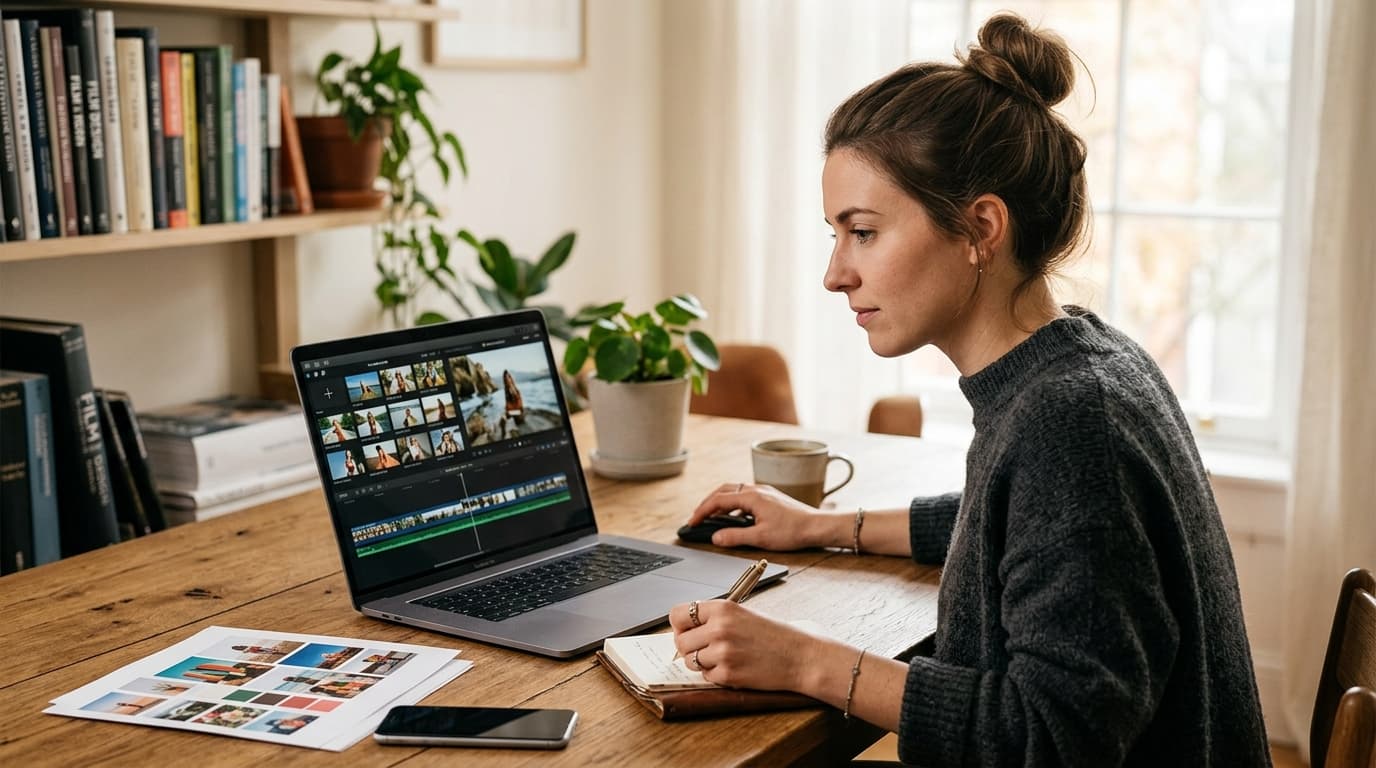
You have 40 saved Reels and a blank draft. That is not a research problem. That is a briefing problem.
Native Insights will tell you which of your posts already earned saves. They will not tell you which hook, format, or story beat to reuse from someone else's clip. If you want the why, read why Instagram Insights won't tell you what to post next. This page is the how: pick a public creator or topic in ClipSonar, read Insights, open Clips, write a one-page brief, then shoot. You can ask the ClipSonar agent first. You still open Clips before you film.
Key takeaways
- Copy the story recipe. Do not copy a face, a caption, or trademarked audio.
- Insights tells you what to make. Clips is the proof. Same two tabs on Creators, Collections, and Topics.
- A usable brief has five fields: hook type, format, duration band, story beats, and a proof clip URL.
- Ask the agent if you want a head start. Verify every claim against a real clip before you write the script.
Copy the recipe, not the clip
Ethical format theft means you reuse the structure that made a Reel hold, not the identity of the person who posted it.
Do not recreate their face, their on-screen text word for word, or the audio they licensed. Accounts that post other people's content ten or more times in 30 days without a material change can drop out of recommendations (source). Stay on the recipe.
The recipe is the five fields in the table below. If you cannot name them, you do not have a brief. You have a save.
Before you start
You need one public Instagram or TikTok creator, or a tight topic. You do not connect posting access. About 25 minutes gets you to a written brief if you can pause a Reel and write a sentence.
ClipSonar is 7 days free on Basic and Pro. Creators can start from a single profile. If you are choosing between a person and a category, use creator Insights versus topic Insights.
Step 1: Pick one public creator or topic
By the end of this step you have one target, not a vibe. "Desk-setup Reels for remote workers" is a target. "Productivity" is not.
If you know the @handle, paste it. If you only know the job to be done, start from a topic brief. Either path opens the same two tabs.
You can ask the ClipSonar agent what's winning in that pocket. Treat the answer as a draft. See what to ask the ClipSonar agent if you want prompt shapes.
Verify: you can point at one analyzer. If you have three open, close two.
Step 2: Read Insights, then open Clips
By the end of this step you have a playbook sentence and at least one clip that proves it.
Insights is what to make: positioning, style DNA, working hooks and formats, failure modes, and a next-post note. Clips is the proof. The help center spells out the same Insights versus Clips split.
Read Insights first. Write down hook mix, format, duration, and one anti-pattern. Then open Clips and keep only URLs that actually show those beats. If Insights says "failed-attempt hooks under 45 seconds" and the clip is a 90-second talking-head with a soft open, drop it.
The first 1 to 3 seconds are not a slogan. Ranking notes include a prediction for whether someone watches less than three seconds of a Reel (source). In a 2026 set of 140,000 business Reels, accounts with 1,000 to 5,000 followers skipped 65.50% of Reels in those opening seconds (source). Name the hook type. That is where most clips die.
Verify: you have two or three public URLs. If nobody can open the clip, it is not evidence.
Step 3: Write the five-field brief
By the end of this step you have one page you can shoot from.
| Field | What to write | Why it matters |
|---|---|---|
| Hook type | The first 1 to 3 seconds, named (question, failed attempt, pattern interrupt) | Retention is decided before the value lands |
| Format | Talking-head, screen-record, stitch, demo, story-with-overlay | Category winners cluster by format, not by topic label |
| Duration band | The length range of the clips that actually held | Match the clips that held, not a generic "keep it short" |
| Story beats | Hook, problem, value, proof, offer, CTA if they appear | You can reuse a recipe without copying a face |
| Proof clip URL | A public URL you can open before you film | If nobody can watch it, it is not a brief |
One hook. One format. One duration. One CTA. Two proof URLs if you have them.
Reels between 30 and 60 seconds had the highest reach rate, 5.60%, in that same 2026 set (source). Set the duration band from the clips that held, not from a generic "keep it short."
Verify: a collaborator can shoot from the table without opening your saves folder.
A worked method: desk-setup Reels
Suppose you post work-from-home setup content and your last three Reels sat under your average watch time. Pick one public creator who films desk makeovers, not "productivity" as a whole.
Insights might say: talking-head plus overhead, failed-attempt hooks, 30 to 45 seconds, spoken CTA on one object. That is a playbook sentence, not a script.
Open Clips. Keep videos that open on a bad chair height or a messy cable, then cut to the fix. Drop the ones that start with a logo or a "hey guys."
Write this brief. This walkthrough is a method, not a claim that those clips live in this article.
| Field | Example |
|---|---|
| Hook type | Failed attempt: sit down, wince, the chair is too high |
| Format | Talking-head plus overhead demo |
| Duration band | 30 to 45 seconds |
| Story beats | Bad sit, one height fix, sit test, one product CTA |
| Proof clip URL | The public Reel you just opened in Clips |
Shoot that recipe in your room, with your face, your words, and audio you own. Then use your own Insights to see if the test worked.
Common mistakes
Treating a save as a brief
A saved Reel is a feeling. A brief is five fields. If you cannot fill the table, you are not ready to film.
Copying the face, the caption, or the audio
That is a repost with extra steps. It also trains you to need their identity instead of their structure.
Stopping at Insights
The playbook can be wrong for a given clip. Open Clips. If the examples do not match the sentence, trust the examples.
Writing ten ideas
One hook, one format, one duration. Ship one Reel from that brief before you add a second target. If the recipe already looks copied across the topic, tell whether the format is dying before you batch.
FAQ
Can I use the same trending audio?
Only if you have the right to use it. Trademarked tracks are not part of the recipe. Pick audio you own or that the platform licenses to you.
Do I need to connect Instagram or TikTok?
No. Public profiles, topic briefs, and clip URLs are enough. ClipSonar does not need posting access to study what already works.
What if I start with the ClipSonar agent?
Fine. Ask what's winning, who to study, or what the next Reel should say. Then open Clips and attach a proof URL. The agent does not replace the table.
If you want the loop in one workspace, start with a creator, a topic, or a question for the ClipSonar agent. First week is free on Basic and Pro.
Author: ClipSonar editorial. We build Instagram and TikTok content intelligence at clipsonar.com. Questions: support@clipsonar.com.
Ask what's working. Get the next Reel.
The ClipSonar agent reads public Instagram and TikTok clips, then returns hooks, ideas, or a script.
Ask the agent free7 days free on Basic or Pro